


DataMatrix codes on labels: when there’s little space for a lot of data
A barcode needs width. If you print a 13-digit number as an EAN-13, even at a fine resolution you’ll struggle to get below 25 millimetres — and even then, the code is just a narrow line that has to be positioned perpendicular to the scanner. On the edge of a circuit board, the shank of a tool or an ampoule, there is simply no such space available.
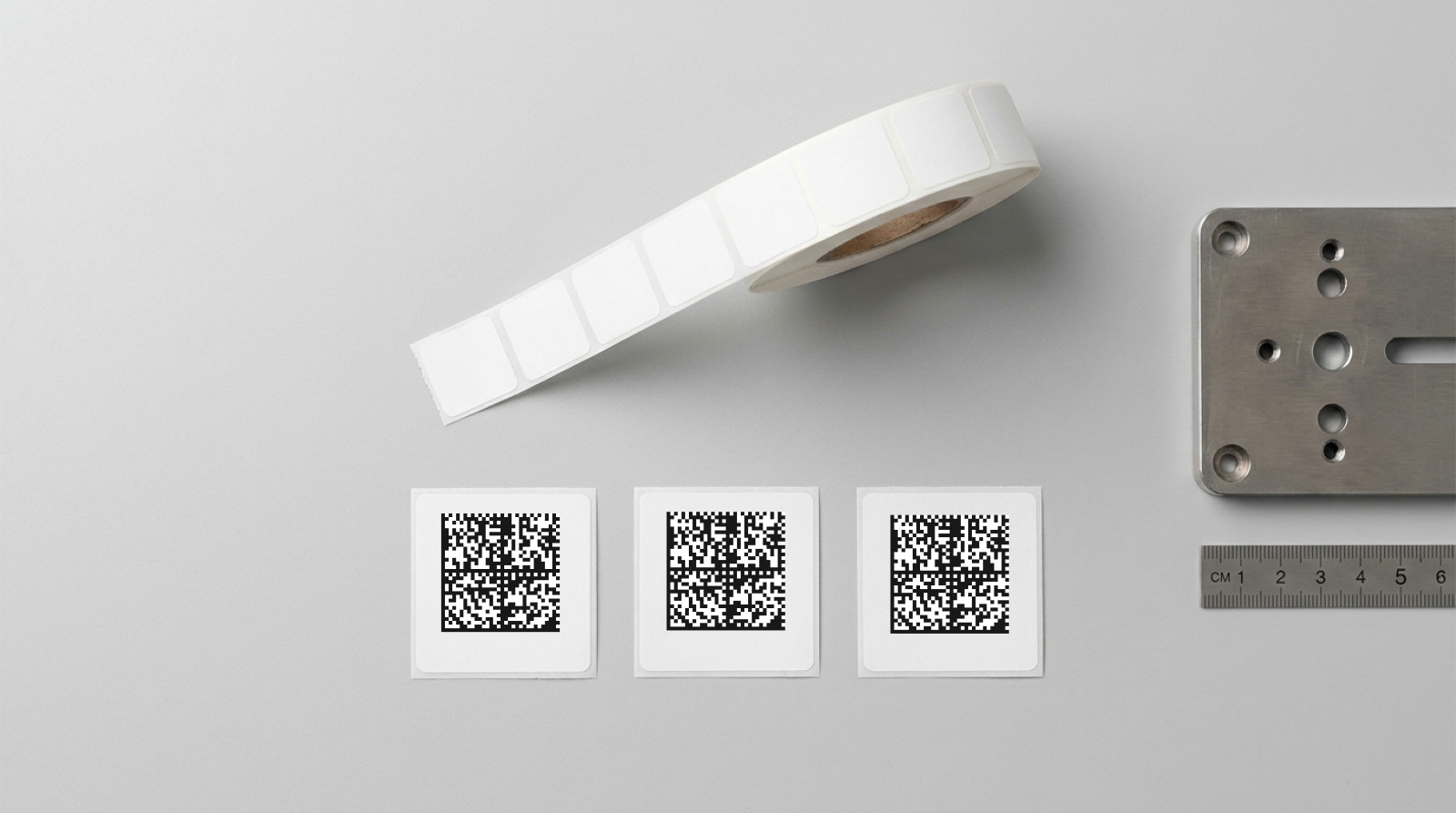
The DataMatrix code solves this by storing the information within the area rather than across the width. The same number fits into a DataMatrix code within a square measuring just a few millimetres on each side. And because the data is arranged two-dimensionally, the code can be read from any angle.
What a DataMatrix code is
A DataMatrix consists of square modules — light and dark cells arranged in a grid. Two sides of the square form a continuous line, known as the ‘finder pattern’. This enables the scanner to recognise the position and orientation. The two opposite sides alternate regularly between light and dark, defining the grid size.
The data is contained within the matrix, protected by Reed-Solomon error correction. This is the key difference from a barcode: a DataMatrix remains readable even if parts of the surface are scratched or soiled. Up to about a quarter of the surface can be damaged before the information is lost.
The grid size depends on the amount of data. A 12×12 module is sufficient for a short serial number, whilst a full web address requires 32×32 or more. The code therefore grows with the content — but much more slowly than a barcode, because it expands in both directions.
When DataMatrix is the better choice
When space is limited. This is the most common reason. A DataMatrix containing a ten-digit number requires a side length of just 6 millimetres. A barcode containing the same information would need around four times the area.
When the code cannot be aligned. Barcodes must be positioned perpendicular to the reading beam. With components lying in any orientation on a conveyor belt or stored on a shelf, this cannot be guaranteed. A DataMatrix can be read from any orientation.
When damage is likely. In manufacturing or with parts that pass through many hands, the marking can suffer. Error correction makes the difference between a readable and an unusable code.
When multiple details need to be included on the label. An item number, batch number, expiry date and serial number together would take up four lines as a barcode. As a GS1 DataMatrix, everything fits into a single square.
When required by regulation. In medical technology, UDI labelling effectively mandates the GS1 DataMatrix; in pharmaceutical logistics, it is the standard for anti-counterfeiting. From 2027, retailers will support 2D codes at the checkout as part of the GS1 Sunrise initiative.
When you should stick with barcodes
A DataMatrix requires a camera scanner. Traditional laser scanners, such as those used in many warehouses and at checkouts, read barcodes exclusively. Before you switch over, check which devices are in use — including those of your customers and suppliers.
Furthermore, a person can, if necessary, read a barcode from the plain text line. This isn’t possible with DataMatrix; here, the plain text must be printed separately on the label — and there is often not enough space for this on very small labels.
What label size you need
The formula is: module size times grid size plus quiet zone. The module size is the edge length of a single cell and depends on the printing method. In thermal transfer printing, 0.25 millimetres is reliably achievable; for critical applications, you should aim for 0.4 millimetres, as the larger the module, the more tolerant the code is to dirt and poor lighting.
| Contents | Characters | Raster | Code area at 0.4 mm |
|---|---|---|---|
| Short serial number | up to 10 | 12 × 12 | 4.8 × 4.8 mm |
| GTIN-13 | 13 | 16 × 16 | 6.4 × 6.4 mm |
| GTIN plus batch | approx. 25 | 20 × 20 | 8.0 × 8.0 mm |
| GTIN, batch, date, serial number | approx. 45 | 26 × 26 | 10.4 × 10.4 mm |
| Full web address | approx. 65 | 32 × 32 | 12.8 × 12.8 mm |
With DataMatrix, the quiet zone is just one module per side — significantly less than with the QR code, which requires four. This margin must still be left free, otherwise the scanner will not be able to detect the edge. When calculating the code area, allow space for the plain text line and a margin from the edge of the label. A label measuring 26 × 26 millimetres therefore offers space for a code containing a full web address plus legible text — with room to spare.
What goes wrong during printing
Modules that are too small. The most common mistake. If you keep making the code smaller and smaller, you’ll eventually fall below the print head’s resolution. The modules will run into one another, and the grid will become unreadable. If in doubt, check using a verification device rather than a mobile phone — mobile phone cameras are very forgiving of errors and mask problems that an industrial scanner will not tolerate.
Insufficient contrast. Black on white is ideal. On silver or transparent labels, the contrast decreases; reflective surfaces scatter the scanner’s light. If silver is essential, choose a matt material.
Distortion caused by curvature. The surface curves on cables, ampoules or round rods. Above a certain diameter, the scanner can no longer reconstruct the grid. In such cases, keep the code as small as possible or switch to a flag label.
Intrusion into the quiet zone. A frame around the label or text directly adjacent to it makes edge detection impossible. The clear margin is not a design choice, but part of the code.
GS1 DataMatrix — the special case
If several structured pieces of information are to be included in the code, the GS1 DataMatrix is used. It differs in terms of its data structure: Each piece of information is preceded by an application identifier that tells the scanner what follows — (01) for the item number, (10) for the batch, (17) for the expiry date, (21) for the serial number.
A code with the content (01)04012345678901(10)ABC123(17)271231(21)00042 thus contains the item number, batch number, expiry date and serial number within a single square. In the medical technology sector, this forms the basis of UDI labelling; in the pharmaceutical industry, it is the foundation of anti-counterfeiting measures.
DataMatrix labels from us
We print DataMatrix labels with a minimum edge length of 6 × 6 millimetres — from 30.90 euros. If you want to include both the code and plain text, the 26 × 26 millimetre size is ideal, starting at 25.90 euros. There are sixteen formats to choose from in total, ranging from the smallest label up to 80 × 50 millimetres.
Send us your code content as a list — we’ll generate the codes from it and check each one individually before printing. Alternatively, you can design the layout yourself in Label Studio directly in your browser and add a logo, product text or a sequential number.
The materials available include white film, matt silver and special films designed to withstand temperature or chemical exposure. For most applications, white film is the right choice as it provides the best contrast.
Do you need labels with DataMatrix codes?
Sixteen formats from 6 × 6 mm, with every code checked before printing.
Frequently asked questions
What is the difference between DataMatrix and QR codes?
Both are 2D codes with different purposes. The DataMatrix is more compact for the same amount of data and requires only one quiet zone module instead of four. It is therefore the dominant choice in industry and medical technology. The QR code is more widely used by consumers because any smartphone can read it without the need for an additional app.
How small can a DataMatrix code be?
The size is determined by the module size multiplied by the grid size. With a module size of 0.25 millimetres and a short number, codes with an edge length of less than 4 millimetres are possible. In practice, you should allow for a bit more space to ensure the code can still be read under unfavourable conditions.
Can I scan a DataMatrix code with my mobile phone?
Yes, modern camera apps usually recognise DataMatrix codes automatically. However, a mobile phone is unsuitable for quality control — it is too error-tolerant and overlooks problems that an industrial scanner would not tolerate.
How many characters can fit into a DataMatrix?
A maximum of 2,335 alphanumeric or 3,116 numeric characters. In practice, you’ll stay well below this limit, as otherwise the code would become too large or too finely detailed.
Is a DataMatrix more durable than a barcode?
Yes, if made from the same material, because of the error correction. A DataMatrix remains readable even if part of the surface is damaged. With a barcode, a single continuous scratch across the bars is enough to render it unusable.
Do I need special scanners for DataMatrix?
Yes. Laser scanners read barcodes only. For 2D codes, you need a camera-based scanner, known as an imager. These, in turn, can also read all barcodes.